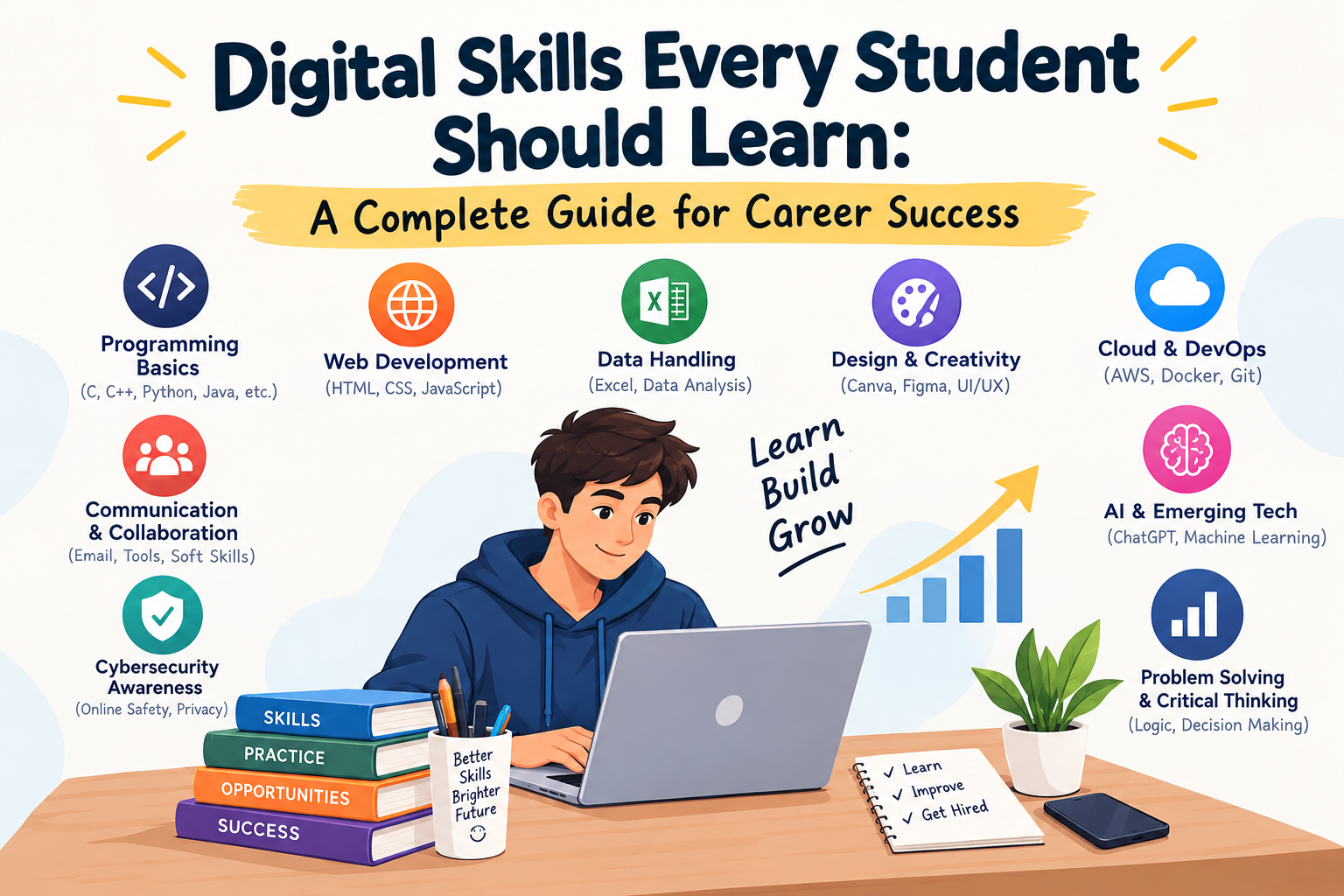
Digital Skills Every Student Should Learn: A Complete Guide for Career Success
The modern workplace is rapidly transforming, and employers now expect graduates to be fluent with technology regardless of their discipline. Whether you are pursuing engineering, commerce, management, arts, law, or healthcare, digital literacy has become foundational for academic achievement and sustainable career progression.
Digital competence goes far beyond knowing how to operate a computer. It encompasses collaborating in the cloud, interpreting data, using Artificial Intelligence (AI) constructively, presenting ideas with impact, and communicating professionally across remote and hybrid environments.
What Are Digital Skills & Why Do They Matter?
Digital skills are the technical and cognitive abilities required to use software, cloud platforms, hardware, and digital communication tools effectively. Mastering them enables students to:
- Accelerate learning productivity and academic research
- Work smoothly in remote and hybrid team workflows
- Turn raw numbers and information into practical business insights
- Adapt confidently to fast-evolving workplace software
- Expand career opportunities beyond geographic boundaries
15 Essential Digital Skills Every Student Must Master
1. AI Literacy & Prompt Engineering
Artificial Intelligence tools are transforming every sector. Students must learn how to write precise prompts, critically evaluate AI outputs for bias and accuracy, and integrate AI to boost productivity without replacing original critical thinking.
2. Microsoft Office & Google Workspace Mastery
Fluency across word processors, spreadsheets, and presentation suites (Word, Excel, PowerPoint, Google Docs, Sheets, and Slides) remains the non-negotiable bedrock of corporate communication and documentation.
3. Data Analysis & Spreadsheet Proficiency
Spreadsheet skills are essential across business, finance, and research. Learn how to clean data, write formulas (VLOOKUP, XLOOKUP, INDEX/MATCH), build pivot tables, and visualize patterns through structured charts.
4. Professional Digital Communication
Mastering professional email etiquette, virtual meeting discipline (Zoom, Google Meet, Teams), and concise team messaging (Slack) ensures you leave a credible, professional impression on recruiters and colleagues.
5. Fact-Checking & Academic Online Research
With misinformation widespread, knowing how to verify sources, search through academic databases (Google Scholar, JSTOR), evaluate institutional whitepapers, and spot bias is an invaluable asset.
6. Presentation Design & Visual Storytelling
Delivering an idea clearly is just as critical as having one. Learn to create uncluttered, visually engaging slide decks, infographics, and executive summaries using principles of contrast, hierarchy, and typography.
7. Basic Graphic Design (Canva & Figma Basics)
Every professional occasionally needs to craft a social post, an event flyer, an eye-catching resume, or a product mock-up. Knowing basic design tools like Canva or introductory Figma will save time and elevate your work.
8. Cybersecurity Awareness & Data Privacy
Protecting confidential files, using multi-factor authentication (MFA), recognizing phishing attacks, and understanding privacy hygiene protects both your personal reputation and your future employer’s systems.
9. Cloud Collaboration & Version Control
Modern teams work out of shared drives and cloud workspaces. Master permission management, collaborative document editing, cloud backups, and basic version history tracking across Google Drive, OneDrive, or Dropbox.
10. Digital Project Management Basics
Familiarize yourself with task-tracking boards like Trello, Notion, Asana, or ClickUp. Knowing how to map milestones, track deliverables, and manage deadlines makes you an organized, dependable team player.
11. Content Creation & Digital Storytelling
Whether it is writing technical articles, creating short-form video explainers, or designing informative case studies, content creation sharpens your ability to articulate ideas clearly and persuasively.
12. Digital Marketing Fundamentals
Understanding search engine optimization (SEO), social media analytics, newsletter curation, and performance marketing basics provides valuable commercial context, whether you work for a brand or run a startup.
13. Financial Technology (FinTech) Literacy
Comfort with digital payment gateways, UPI ecosystems, online banking security, and automated budgeting applications helps maintain sound financial management in both personal and professional life.
14. Personal Branding & LinkedIn Optimization
A well-maintained LinkedIn profile with clear project highlights, endorsements, and thought leadership posts acts as a live, discoverable resume that connects you directly with hiring managers.
15. Lifelong Digital Upskilling
Software and frameworks change every few years. The ultimate meta-skill is the willingness to continually learn through MOOCs, webinars, technical documentation, and micro-certifications.
Digital Competency Breakdown by Category
Productivity & AI
Google Workspace, MS Office, Prompting, and AI-assisted workflow optimization.
Data & Organization
Spreadsheet modeling, pivot tables, data hygiene, and Notion/Trello workflows.
Communication & Media
Email writing, slide deck design, Canva graphics, and virtual meeting presence.
Safety & Career
Cybersecurity awareness, password hygiene, LinkedIn presence, and digital portfolios.
Common Mistake to Avoid: Passive consumption. Watching endless tutorials without building projects or applying skills to real assignments creates an illusion of competence. Always learn by doing.
Practical Roadmap: How Students Can Build These Skills
Mistakes to Avoid While Developing Digital Skills
- Waiting for Final Year: Trying to learn everything right before placement season leads to burnout and superficial knowledge.
- Blind Reliance on AI: Using AI to generate text or code without understanding the underlying logic leaves you vulnerable during technical interviews.
- Ignoring Soft Skills: Digital expertise without clear written and verbal communication makes team collaboration difficult.
- Overlooking Cybersecurity: Using identical weak passwords or neglecting two-factor authentication risks compromising personal and institutional data.
Frequently Asked Questions
Yes, absolutely. Modern law firms, financial consultancies, media houses, and schools rely on cloud document management, spreadsheet analytics, digital communication, and AI research tools daily. Non-technical graduates with strong digital competencies stand out immediately in hiring pools.
While there is no single silver bullet, practical data analysis (Excel/Sheets) combined with responsible AI literacy and clear digital communication offers the highest cross-functional return on investment across virtually every career track.
Proof beats claims every time. Instead of just listing "Proficient in Excel" on your resume, link to a live project, a published dashboard, a clean LinkedIn case study, or recognized certifications that demonstrate what you have built.
Just 30 to 45 minutes of consistent, focused practice 4–5 days a week is far more effective than marathon weekend cramming. Focus on one tool at a time until you are confident applying it to real assignments.
Speak with an Academic Advisor
Share your details and our counsellors will assist you with degree options, fees, and eligibility.